

Menus and search that lead to the product
A shopper either follows the menu or types in search. TOORON shows where they didn’t find what they wanted, and lets you fix it.
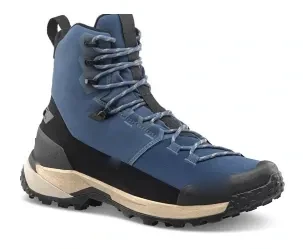 Boots Trail MidUAH 4,200
 Boots Trail ProUAH 5,400
Finds the product even with a typo
Searches by name, SKU and barcode, fixes typos and the wrong keyboard layout.
What you getA shopper who knows exactly what they want gets to the product in one step.
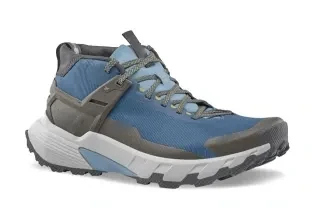 Boots Trail MidUAH 4,200
 Boots Ridge MidUAH 6,100
Searched and left empty-handed
The assistant shows queries for which search found no products, and how many times they were searched.
What you getYou see how many shoppers you lose on empty search, and for which words.
- Here the assistant only shows: nothing changes on the site.
Illustration of a scenario, not store data
They search with a different word, and find it
«Buff»: zero results, although the store has «Neck gaiters». The assistant suggests adding the word to the category.
- Search words for both the product and the category.
- The product really isn’t there? «No product» moves the query to the «Demand without products» list.
Illustration of a scenario, not store data
«Палатка» finds tents
The assistant sees Russian queries with no results and suggests adding the word to the right category. You approve each one separately.
- Stop words work the same way: «Add the stop word «buy»».
- They take effect after the nightly search update.
Illustration of a scenario, not store data
Broken links find themselves
Every night the assistant checks the menu links and suggests a new address instead of a broken one.
What you getShoppers don’t land on an empty page from the menu.
- The access level decides what goes live right away and what goes through a senior’s review.
Illustration of a scenario, not store data
People search for it, but it’s not in the menu
What people search for but the menu lacks; what gets clicked often but sits deep; what never gets clicked.
- Rename, hide, show, fix the address: «Hide the «Summer sale» item».
- «Remove» only hides: the item can be brought back to the menu.
Illustration of a scenario, not store data
From search to the menu
A popular query with no results goes into both search and the menu.
Both search and the menu find «Thermoses»example
Two edits from the chat: a search word for the category and a new menu item. Each has its own «Undo».
What the platform can do
The right product first in search
One sentence to the assistant, and the «Promin» flashlight comes first for the query «head flashlight».
The words people really search with
Add them to the product in several languages, and it will be found even if its name lacks that word.
Search suggestions for the season
It got colder, and «down jacket» comes first in «Popular searches». Just tell the assistant.
A separate menu for phones
Catalog, header, footer and the bottom bar on phones: separate menus with their own items.
A comparison without clutter
For the comparison table you choose your own set of specifications: only what matters for the choice.
Page addresses on your scheme
Short or nested by the category tree. The platform makes sure addresses don’t repeat.
Let’s estimate your launch: timing and cost
Tell us about your store: we’ll suggest what of this you actually need and estimate the project.
A short conversation about your business, range and processes. After it we estimate the project for your store.
Discuss your launchAn audit for $199: we’ll find where the store loses sales and what to fix first. Results in 3 days.
Order an auditProject cost: estimated for your store.